Why AV Systems Need Preventative Maintenance
By: Rob Gonzalez, VP of Operations
Most people do not think about AV maintenance until something stops working.
A conference room display loses signal five minutes before a customer meeting. A microphone in a council chamber suddenly stops passing audio. A projector starts running hot. A video wall has a problem with one of its inputs. A control panel that worked yesterday will not connect today.
At that point, maintenance has turned into a service call.
Preventative maintenance takes a different approach. Instead of waiting for equipment to fail, technicians periodically inspect, test, clean, and review the system to catch potential problems while the equipment is still working.
For organizations that depend on their AV systems every day, that can make a significant difference.
AV Systems Are More Than the Equipment You See
When someone walks into a conference room, they might see displays, cameras, microphones, speakers, and a touch panel.
There is usually much more happening behind the scenes.
Equipment racks may contain digital signal processors, amplifiers, network switches, control processors, video distribution equipment, power management devices, and other hardware. There are also cables, connectors, network connections, programming, firmware, and software tying everything together.
In a command center, emergency operations center, auditorium, council chamber, classroom, or other larger space, the system can become considerably more complicated.
All of those components have to work together.
A problem with one cable, network connection, power supply, or piece of programming can affect equipment somewhere else in the system.
Preventative maintenance gives technicians an opportunity to look at the complete system rather than waiting for one component to create a noticeable failure.
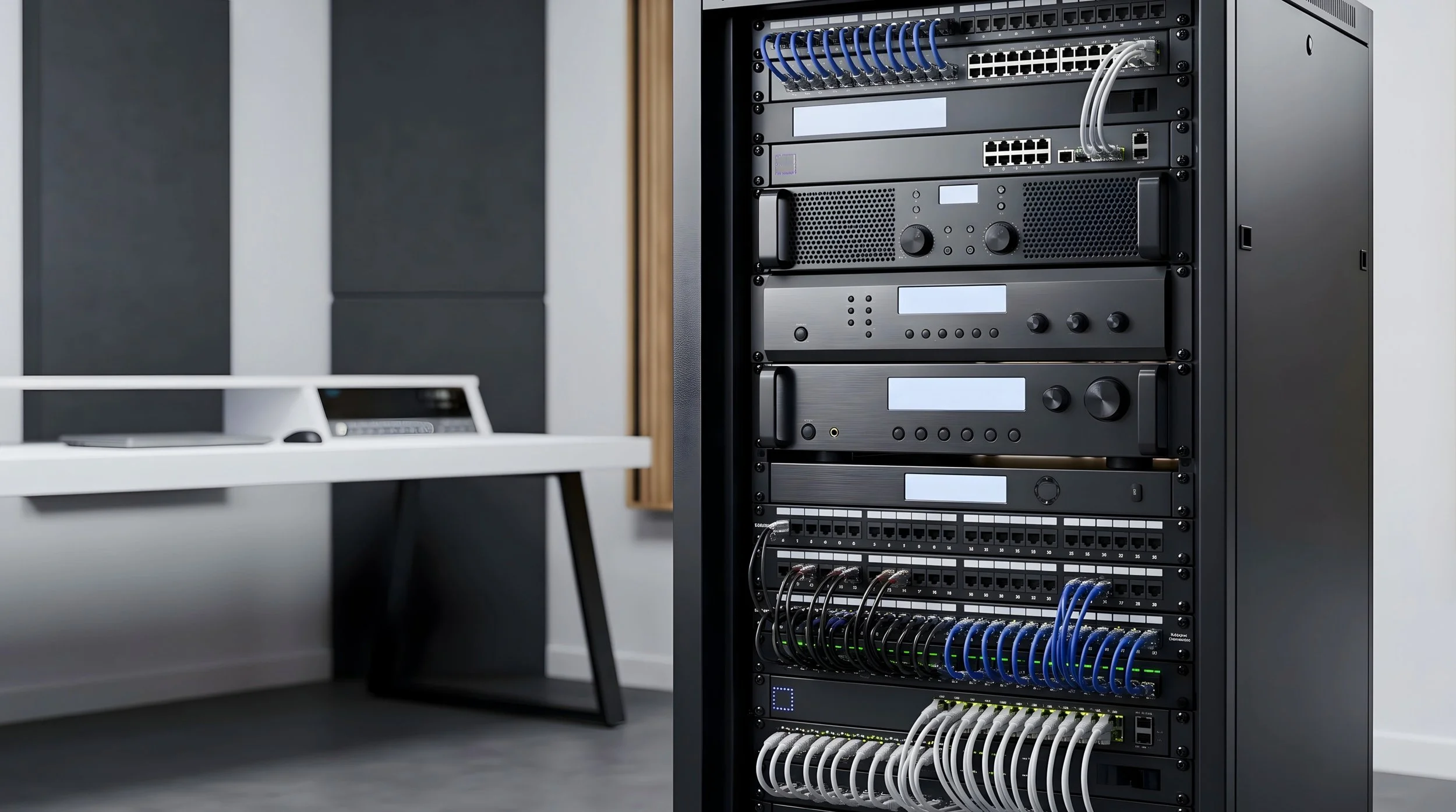
A well-maintained AV system starts behind the scenes. Regular inspection of equipment racks, cabling, connections, ventilation, and system components can help identify potential issues before they turn into unexpected downtime.
Physical Inspections Can Find Problems Early
A preventative maintenance visit should include a physical inspection of the system.
Technicians can check equipment racks, cable connections, displays, microphones, cameras, loudspeakers, touch panels, wall plates, and other accessible components.
They may find loose connections, damaged cables, blocked ventilation, unusual fan noise, equipment running hotter than expected, or components that are beginning to show signs of wear.
These problems do not always cause an immediate failure.
A loose connector might work normally for months before becoming intermittent. A cooling fan may become increasingly noisy before eventually stopping. A cable may be damaged but continue passing a signal until someone moves it.
Finding those issues during a scheduled inspection is much easier than troubleshooting them while a room is needed for an important meeting.
Testing Should Include the Entire Signal Path
Just because a display turns on does not mean the entire AV system is working correctly.
Preventative maintenance should test the room the way users actually use it.
That might mean starting a Microsoft Teams or Zoom call, testing microphones from different seats, checking camera presets, sharing content from a laptop, verifying wireless presentation, testing source switching, and confirming that audio is reaching the correct loudspeakers.
For more complex systems, technicians may also test video processors, AV-over-IP endpoints, control-system functions, DSP routing, multiple displays, and other integrated equipment.
The idea is to test the complete signal path.
If a user connects a laptop at the conference table, for example, the signal may travel through a wall plate, transmitter, network or video distribution system, switcher, processor, and finally to the display.
Any point in that chain can cause a problem.
Testing the complete workflow can uncover issues that would not be found by simply checking whether individual devices have power.
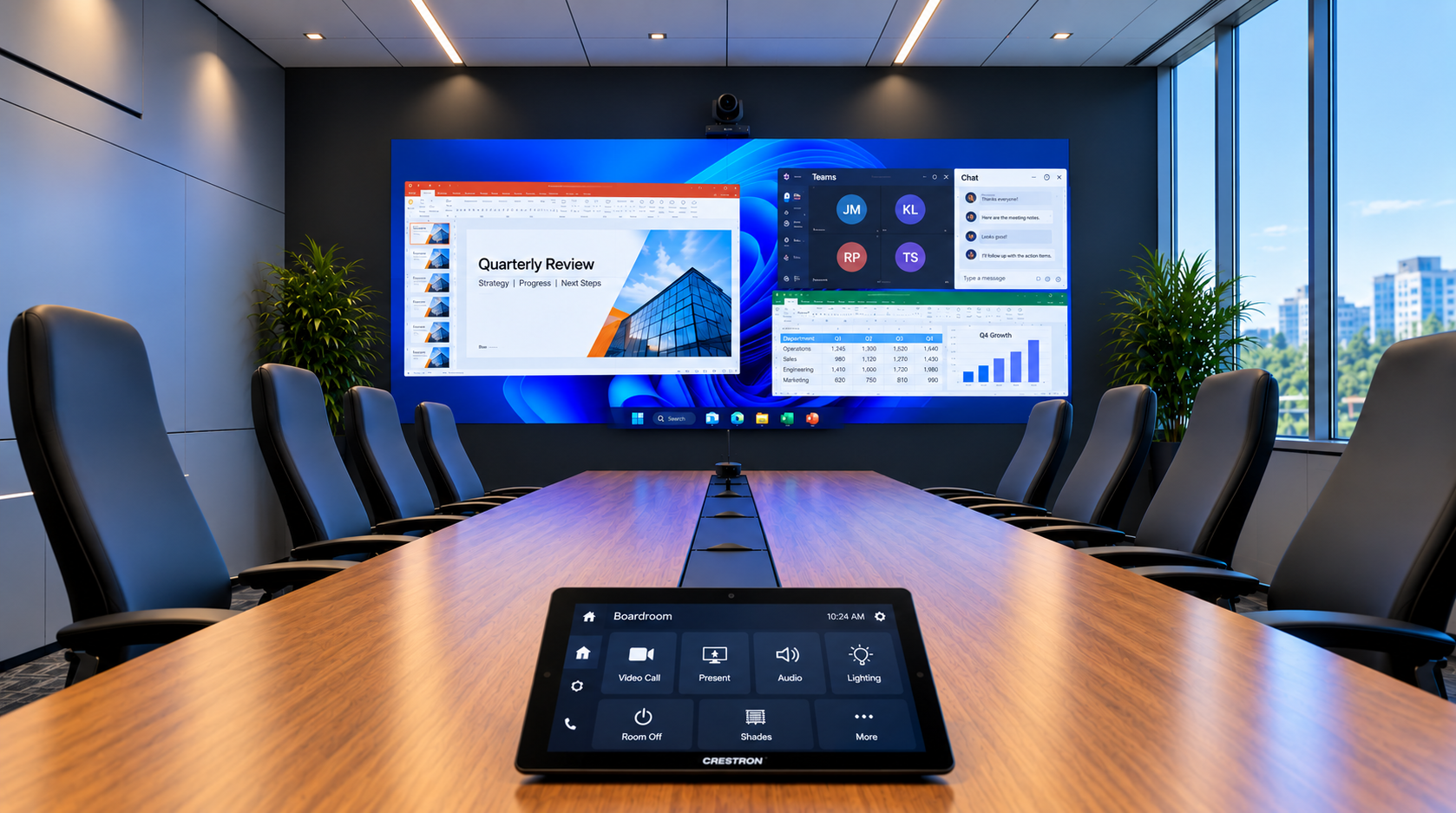
Preventative maintenance helps keep the entire AV system working as intended, from the equipment behind the scenes to the displays, cameras, audio, and control systems users rely on every day.
Microphones and Audio Systems Need Attention Too
Audio problems are often difficult for users to diagnose.
A microphone may still work but sound quieter than it used to. A room may develop echo during video calls. One area of a conference table may no longer have the same microphone coverage.
These issues can be related to microphone placement, DSP configuration, cable connections, networked audio devices, firmware, or physical changes to the room.
Preventative maintenance gives technicians an opportunity to listen to the system and confirm that audio is performing as intended.
That can include checking microphone pickup, loudspeaker operation, audio levels, acoustic echo cancellation, DSP status, and other system functions.
For spaces such as council chambers, courtrooms, command centers, and large conference rooms, audio testing can be especially important because a problem may affect recording, conferencing, presentations, or day-to-day operations.
AV Equipment Needs to Be Kept Clean
AV equipment collects dust just like any other electronic equipment.
That becomes a problem when dust begins restricting airflow.
Equipment racks, projectors, computers, amplifiers, video processors, and other devices generate heat. Many depend on fans and ventilation to maintain appropriate operating temperatures.
Dust buildup around vents, filters, and fans can make cooling less effective.
Displays and camera lenses may also require appropriate cleaning to maintain image quality.
Preventative maintenance provides an opportunity to inspect and clean equipment using methods appropriate for the device.
It sounds simple, but keeping equipment clean and properly ventilated can help prevent avoidable problems.
Firmware Should Be Reviewed, Not Automatically Updated
Many modern AV devices are essentially specialized computers.
Cameras, DSPs, control processors, touch panels, video encoders and decoders, network switches, conferencing devices, and even some displays run firmware or software that manufacturers update over time.
Those updates may address bugs, security issues, compatibility problems, or add functionality.
That does not mean every device should automatically receive the newest firmware as soon as it becomes available.
In an integrated AV system, one update can affect communication with another device or change how an existing function behaves.
Firmware should be reviewed as part of the maintenance process.
Technicians should determine what versions are installed, whether updates are recommended, what issues the update addresses, and whether there are compatibility concerns with the rest of the system.
For critical rooms, updates may need to be tested or scheduled during a maintenance window rather than installed during normal operations.
The goal is to keep the system supported without introducing unnecessary problems.
Documentation Should Change When the System Changes
AV systems rarely remain exactly as they were on installation day.
A display gets replaced. A new laptop connection is added. A network switch changes. A camera is upgraded. Someone moves equipment inside the rack.
If the documentation is never updated, eventually the drawings no longer match the actual system.
That makes future troubleshooting much harder.
Good AV documentation may include system drawings, rack elevations, cable schedules, equipment lists, network information, programming backups, configuration files, and operating instructions.
Preventative maintenance is a good opportunity to compare the documentation with the actual installation.
If something has changed, it should be documented.
That information can save a significant amount of troubleshooting time later.
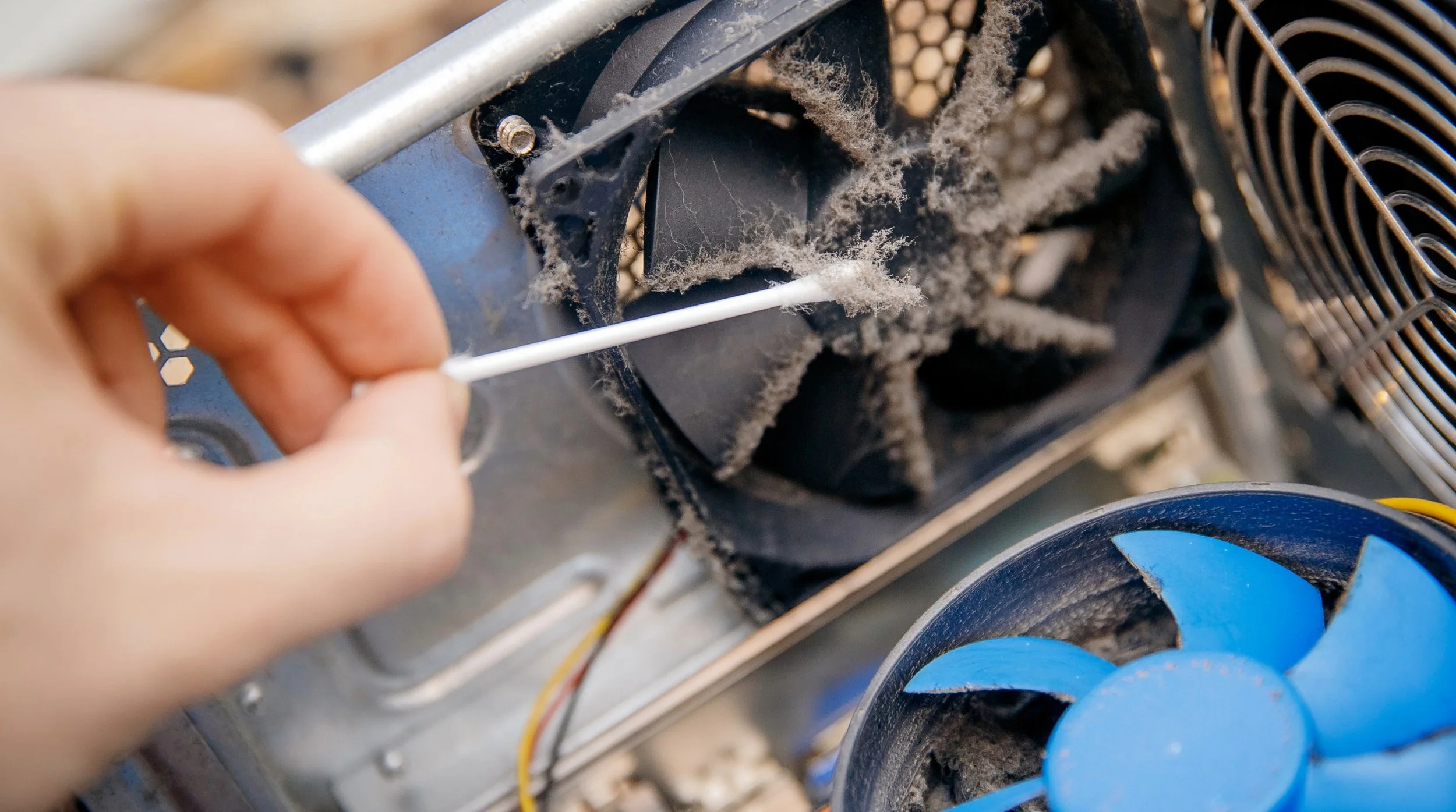
Dust buildup around fans and vents can restrict airflow and cause AV equipment to run hotter than intended. Routine cleaning and inspection can help prevent heat-related issues and extend the life of system components.
Maintenance Can Identify Equipment Approaching End of Life
Not every piece of equipment fails suddenly.
Sometimes there are warning signs.
A projector may have increasing operating hours. A display may begin developing image problems. Fans may become louder. A manufacturer may discontinue support for a product. Replacement parts may become difficult to obtain.
Preventative maintenance can help organizations identify these issues before they become emergencies.
That gives the organization time to plan.
Instead of discovering on Monday morning that a critical piece of equipment has failed and is no longer available, the IT or facilities team can begin budgeting and planning for replacement ahead of time.
This is especially useful for larger systems where replacing one component may affect several others.
Critical Rooms Need a Different Maintenance Strategy
Not every AV system requires the same level of maintenance.
A small huddle room that is occasionally used for internal meetings may not require the same support plan as an emergency operations center operating around the clock.
The impact of failure should help determine the maintenance strategy.
Conference rooms, training spaces, classrooms, auditoriums, command centers, EOCs, council chambers, courtrooms, and other environments all have different operational requirements.
For systems that are important to daily operations, organizations may want scheduled preventative maintenance combined with access to service support when unexpected problems occur.
Critical spare equipment may also make sense for certain systems.
The right approach depends on how quickly the organization needs to recover when something fails.
Preventative Maintenance Does Not Eliminate Every Failure
Electronics can still fail.
A power supply can stop working without warning. A cable can be damaged. A network problem can affect AV equipment even when the AV hardware itself is functioning normally.
Preventative maintenance cannot guarantee that nothing will ever break.
What it can do is reduce the number of preventable problems and give organizations better visibility into the condition of their systems.
It can also make service calls easier.
When documentation is current, equipment has been inspected regularly, and technicians understand the system, troubleshooting can begin with much better information.
Don't Wait Until the Room Goes Down
If an AV system is important to your daily operations, maintenance should not begin when someone submits a trouble ticket.
Regular inspections, system testing, cleaning, firmware reviews, documentation updates, and equipment condition checks can help identify problems before they interrupt a meeting or affect operations.
A preventative maintenance program should be based on the system and how important it is to the organization. Some rooms may only need periodic inspection. Others may require more frequent testing and support.
If your organization has conference rooms, command centers, EOCs, training rooms, auditoriums, or other AV systems that need to remain reliable, our team can help evaluate the equipment and develop a maintenance approach based on how those spaces are actually used.
You can also visit our facility and R&D lab to meet with our team, discuss existing systems, and see how we test and troubleshoot AV equipment.
You may not be able to prevent every equipment failure, but finding problems during scheduled maintenance is a lot better than discovering them five minutes before the room is needed.
Need Help Keeping Your AV Systems Reliable?
AV maintenance should start before something stops working. Whether you have conference rooms, command centers, EOCs, auditoriums, classrooms, or other AV systems, our team can help evaluate your equipment and determine the right preventative maintenance and support approach for your organization.
Tell us a little about your system and what you’re experiencing, and one of our team members will be in touch.